Participant: Amer Yaqub

Senior Vice President of Foreign Policy

Senior Vice President of Foreign Policy
President and CEO of GlobalPost

Boston Global Forum Holds Online Conference on Global Labor Standards and Worker Rights.
Boston, MA – November 14, 2013 – On Monday, November 18, the Boston Global Forum will host an interactive online conference to discuss global standards for worker safety and international labor law. The event will bring together leaders in business, public policy, organized labor, media, and citizens. It will be streamed live on the Boston Global Forum’s website from 7:30am – 9:00am (EST). The morning timing is meant to facilitate evening participation by leaders in Asia.
The event is a response to the April 24, 2013, Bangladeshi garment factory collapse, in which over 1000 workers were killed. Bangladesh is home to more than 5,000 garment factories, most of which are unregulated. John Quelch, Professor at Harvard Business School and Boston Global Forum’s co-founder and Board member stated, “I’m really convinced, when looking at the economics of this issue, that the cost of compassion is less than the cost of corruption, in terms of the retail price effect.”
The Boston Global Forum decided to host the conference online in order to encourage international participation. Tuan Nguyen, Boston Global Forum’s co-Founder and Editor-in-Chief said, “An online conference allows individuals from many parts of the globe to contribute, through our website and via social media.” Governor Michael Dukakis, founding chairman of the Boston Global Forum, added, “We have an enormous opportunity here. If we can bring in good people and develop a growing group who have significant experience dealing with this, we can really make some sense (of this issue).”
For more information, please contact [email protected].

Director of International Studies Stream and Professor of Sociology, Clark University

BOSTON GLOBAL FORUM CONFERENCE
Nov 18th 7.30-9am EST
Prior to our conference, attendants are strongly suggested to read Professor John Quelch’s cases and send any preliminary questions to [email protected]
-During the Conference, the moderators will select a PRESENTER.
-If you wish to ask a question, you can type in the CHAT window.
-A presenter will have the option to SHARE his screen with the rest of the confence as – well as his Webcam.
-All attendants will be muted by default when the session starts.
-While attending our Conference, you are also invited to follow and post questions to our Twitter page: https://twitter.com/BostonGF
(Please see pictures below for more information)
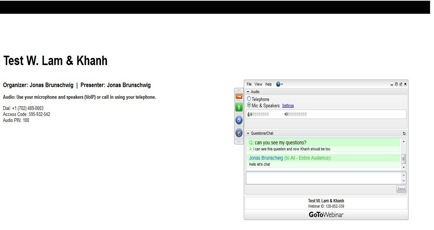
This is how the GoToWebinar platform would look like.